Speed modes, backup and parameter export
Use verified material/process modes and keep a configuration backup before authorised changes.
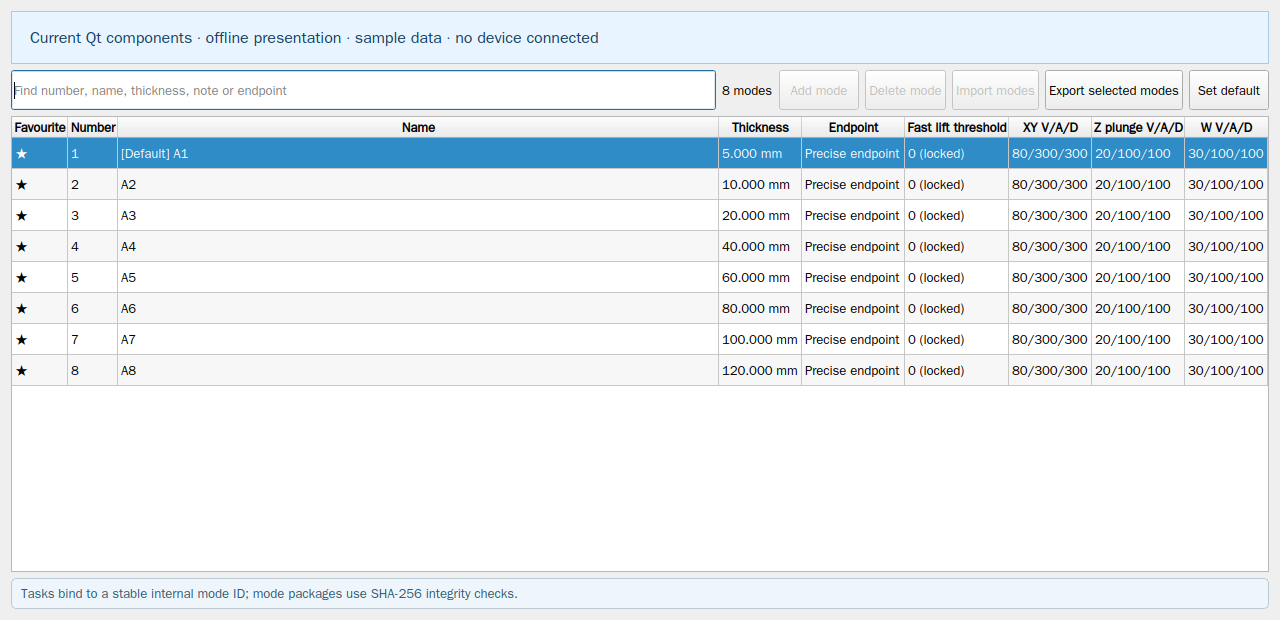
- In System settings select an enabled speed mode and inspect material thickness, endpoint method, cutting, lowering and W parameters.
- Use System management for blade library, configuration history and authorised backup/import. Export complete system configuration saves a .sys package.
- The package contains machine, calibration, blade, speed, axis, IO and communication settings; it excludes software entitlement, temporary permissions, instalment identity and passwords.
- After a complete configuration import, restart the software, perform whole-machine homing again and replan tasks with the restored settings.
This website provides instructions only. Carry out every drawing, transfer and machine operation in the installed software. Website links cannot home, jog, start, pause or stop a live machine.